
One Jacket, Two Ways to Wear It, and a seedance 3.0 ai Shot Plan
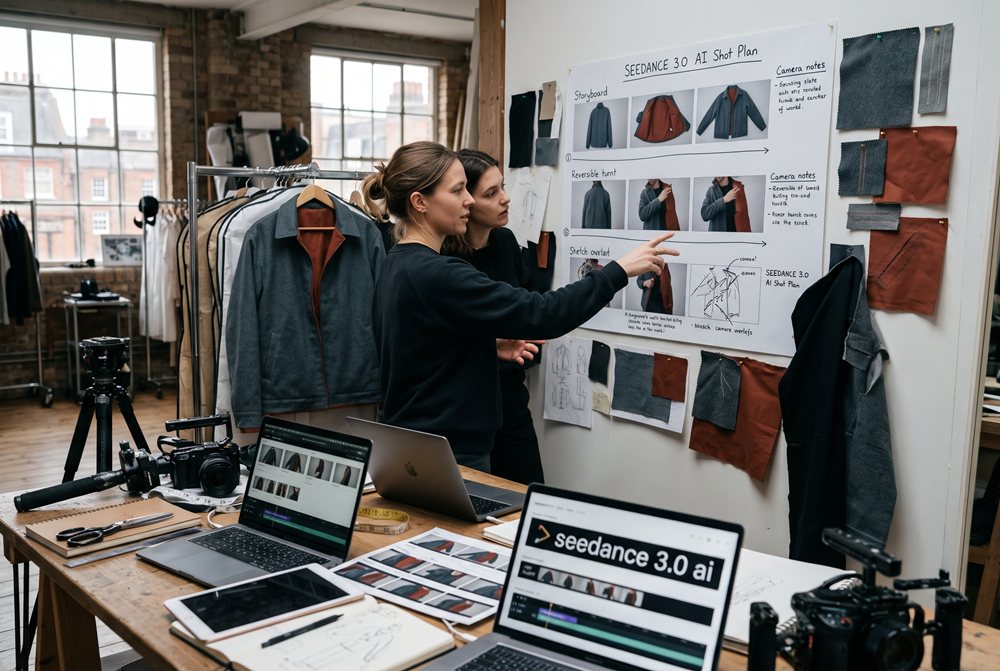
A reversible jacket asks the camera to show two versions of the same garment in a few seconds. For a small collection concept, I’m imagining a jacket with a slate outer fabric, a rust-colored lining and a collar that keeps its shape on both sides. I want the viewer to see the first side clearly, recognize what changes during the turn, and see the second side settle. I’d use a short generated sequence to plan the real shoot. The eventual product video can then show the actual fit, stitching and fabric behavior of the piece.
Put the color change where the viewer can see it
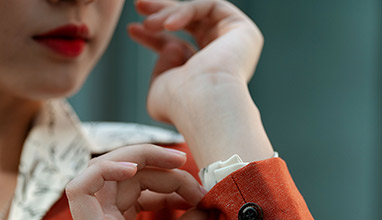
The opening frame I want is an angled view of the jacket on a model, with daylight coming across the sleeve. The slate fabric should be easy to distinguish from the background. I’d use a neutral wall and leave extra room around the elbows. The model pulls one side of the jacket off the shoulder, catching enough of the rust lining to hint at the change. The camera has a short distance to travel, and I want that movement to end before the lining completely fills the frame.
For the shot where the lining appears, seedance 3.0 ai can help me test the frame before I reserve a studio. I’d attach a photo of my fabric swatches and a simple sketch of the jacket’s front. The prompt identifies the rust lining and slate shell and describes one slow turn. I can add a video of a fabric panel turning through light at a similar speed. Its useful detail is how the edge travels across the frame. I’ll choose a clip that gives the viewer enough time to identify the two colors without losing the gesture.
Find a cut the garment can make
I’d make a second shot that starts with the lining occupying most of the frame. For this shot, I want the material to move past the lens and leave the reversed jacket in view. It could work as a cut between two shorter clips, with the fold of the jacket hiding the edit. I’ll plan the position of the model’s hands before I try this. If the fold is in a different place on either side of the cut, it may look as though a second person has stepped into the scene. I’m looking for a familiar movement that the viewer can read at the speed of a normal walk.
A wide view may be enough to show the shoulders, but it often misses what happens to the collar. I’ll try an image-guided shot in seedance 3.0 ai where the collar stays close to camera as the model turns. The visible edge should have the same stitch line in both clips. I can also sketch a wider version from text, with the collar seen more clearly against the wall. Those variants answer different questions. The close frame can help me judge the cut, while the wider frame shows whether the garment still reads as an outfit.
Use the cloth as a sound cue
The sound I want is a quiet stroke of fabric followed by the landing of a cuff against the model’s wrist. I can record a similar piece of cloth against a tabletop and listen for a clean movement that lasts about as long as the shot. In seedance 3.0 ai I’ll try guiding the scene with that audio alongside the swatch image, the motion video and the text direction. The recording describes the pace I’m after. If the generated movement is good but the fabric changes direction too early, I’ll keep the clean recording and move the cue in the edit.
To compare the move without putting time into a finished cut, I can try an early sleeve test with seedance 3.0 free. I’d start from the same swatch arrangement and ask for just the edge of a sleeve moving through light. If the light catches the fabric too sharply, I can choose a gentler reference before assembling the whole sequence. I want the slate side to stay recognizable when the light moves. An early test is also a good chance to see where a phone crop can lose the telltale bit of rust at the cuff.
Watch for changes the jacket cannot make
My first rough draft might change the size of the collar or invent a pocket. I’ll inspect the last clear frame before the cut and the first clear frame after it. For this jacket, the features I care about are the collar, cuff and front opening. If the model changes any of them between shots, I can revise the draft with a front view of the garment as the image reference. I’ll write the expected pocket shape and collar height in ordinary language and ask seedance 3.0 ai to keep the camera nearer the garment. I can then compare the frames again with the new detail in view.
If the close view behaves better than the wide shot, I’ll use it as an insert and keep the full reveal for the physical shoot. I need a clean view to explain how the model turns, and a believable standing position to end on. Those two decisions can make the day on set easier. At the same time, I’ll compare the preview to the actual sample before I put it in front of anyone who might mistake the planned frame for proof of what the fabric does.
Keep an ending for each screen
For the horizontal edit, I’ll leave the model standing near the window with the rust side toward the camera. For the vertical version, I’ll set the turn a little farther back so the cuffs remain in frame. The ending will hold for just long enough to recognize the reversed side. I’ll keep the product name on an editable layer and leave room for the size or fit note the collection needs.
The seedance 3.0 ai preview becomes a set of shot references and cut points I can share with the people making the video. I’ll keep the three clearest frames next to the sample to guide the shoot. The one moment I most want to preserve is the lining moving out of the way to reveal that the jacket can be worn on either side. If the viewer catches it with the sound off and sees the cloth settle at the end, the few seconds have served the garment.
Hits: 11 | Leave a comment
About the Author

Stella Cooter
Journalist, traveller and mother, Stella writes about fashion and style, luxury and adventure.
More Articles from this author